Inverse Kinematics of PX100 Arm: Python Code Example
For 2024Fall EE211 Course Project
Last Update: 2024-11-13
What is Inverse Kinematics?
Inverse Kinematics (IK) is a method to determine the
joint anglesof a robot arm given thedesired end-effector position and orientation.While Forward Kinematics (FK) is to determine the
end-effector position and orientationgiven thejoint angles.
For PX100 arm, the end-effector is the gripper.
Questions:
- How many solutions does a FK problem have?
- How many soluttons does a IK problem have for a PX100 arm?
- How many solutions does a IK problem have?
- How many solutions does a IK problem have for a PX100 arm?
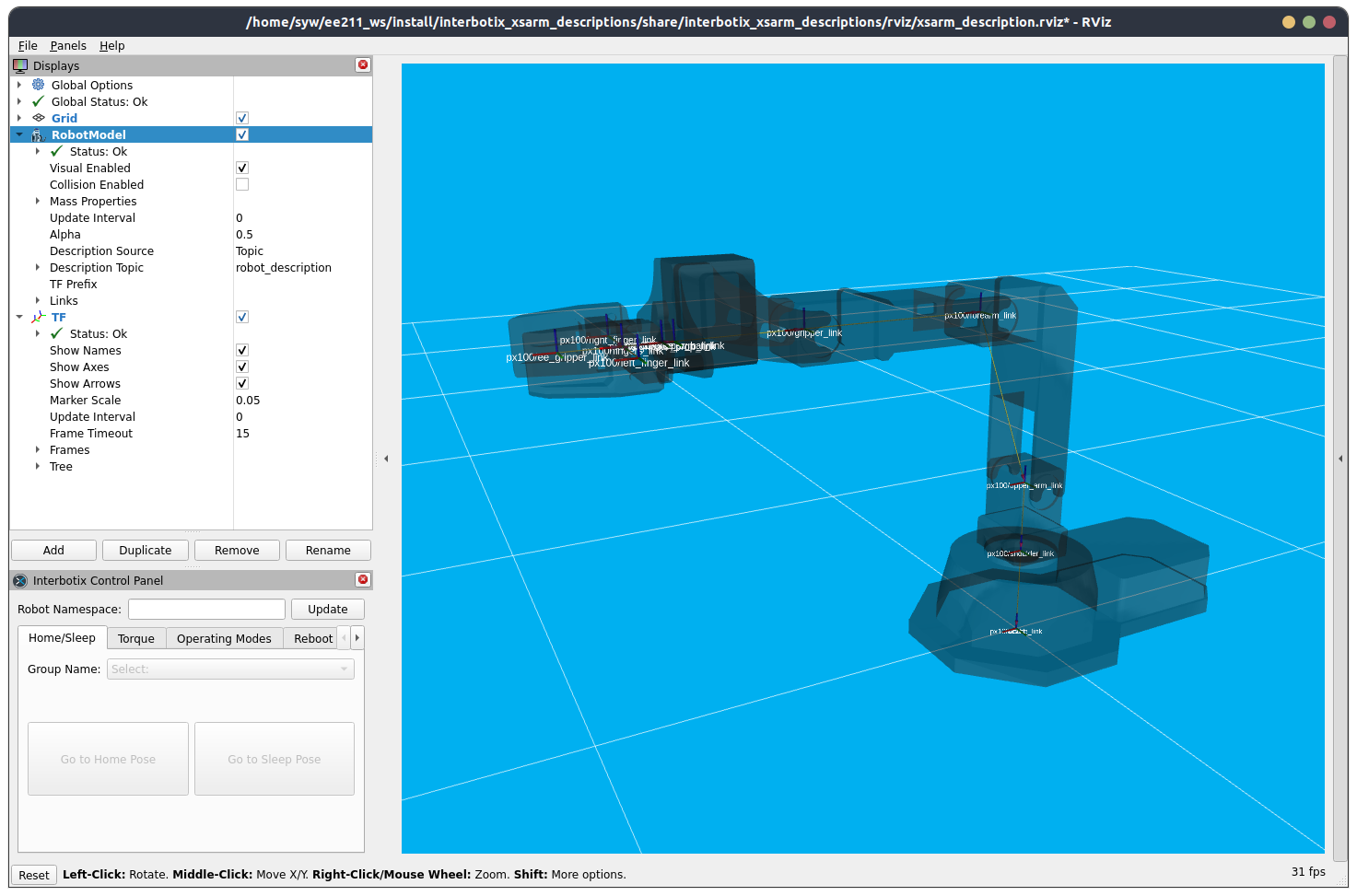
Now, you can connect to your robot, then run ros2 launch interbotix_xsarm_descriptions xsarm_description.launch.py robot_model:=px100 use_joint_pub_gui:=true to visualize the arm in rviz2, which will show you the detailed robot model description.
Python Code Example – Utilizing robotics toolbox package
Install robotics toolbox for python
pip install roboticstoolbox-python
pip install spatialmath-python
roboticstoolbox-python has the px100 model built-in, so we can directly use it.
Code Example
import roboticstoolbox as rtb
from spatialmath import SE3
import numpy as np

robot = rtb.models.px100()

tx = 0.2486
ty = 0.0
tz = 0.193
tpos = SE3(tx, ty, tz)

# robot[11] is the index of ee_gripper_link in the urdf
ik_sol = robot.ikine_LM(tpos, end=robot[11])

if ik_sol.success:
    print("Valid Solution: {}".format(ik_sol.q))
    # Uncomment the following lines to validate the solution
    # print("FK Validation:")
    # fk_val = robot.fkine(np.array( [0, 0, 0, 0] ), end=robot[11], start=robot[0])
    # print(fk_val.t)
else:
    print("Invalid Input!!!")
Now you can play the code yourself, and integrate it with the arm hardware python script.
Reference